Why Video Interviews Are Your Most Valuable , and Most Wasted , Content Asset
Here's a pattern most marketing teams will recognise: you spend weeks scheduling an expert interview, record 45 minutes of sharp, specific insight, publish the video, and move on. The recording sits on YouTube or a landing page, quietly collecting dust.
That's not a content strategy. That's a very expensive filing cabinet.
According to Statista, 69% of B2B marketers planned to invest in video content in 2025, making it the single most popular format for investment. Thought leadership came second, with 57% of B2B marketers putting budget behind it. Two of the biggest content bets in B2B, and most teams treat them as one-and-done outputs.
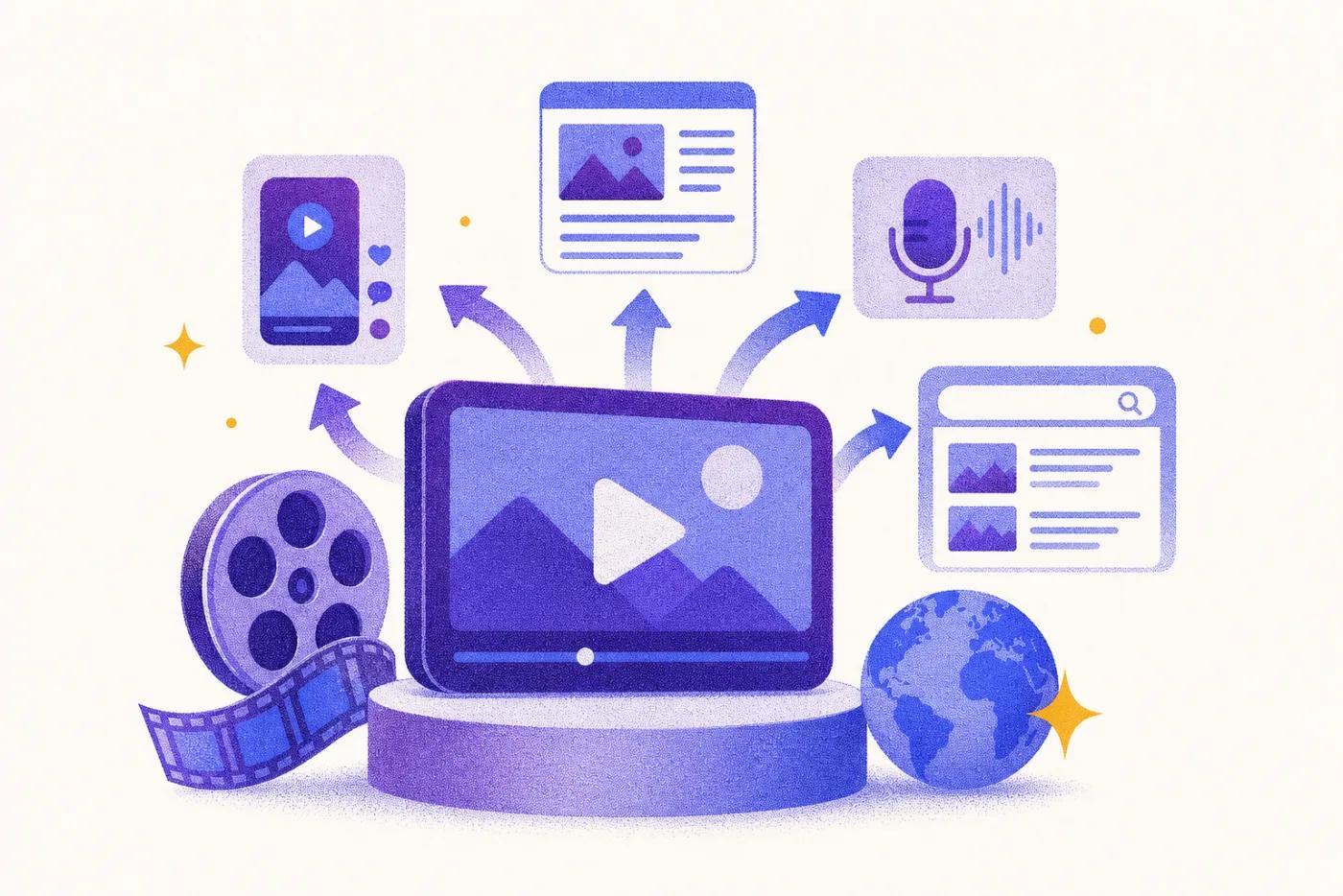
The waste is staggering when you do the maths. A single 45-minute interview contains enough raw material for 10-15 distinct content assets: a long-form article, a LinkedIn post series, an email newsletter, short video clips, a gated report, FAQ pages, quote cards, and more. Most teams extract one.
Why does this matter beyond efficiency? Because interview content is categorically different from everything else you publish.
It contains first-hand experience, original opinions, specific examples, and real data that no AI tool can fabricate. Those are exactly the signals Google's E-E-A-T framework rewards. As Search Engine Journal reports, content demonstrating genuine first-hand experience is increasingly prioritised in search results.
The same logic applies to AI engines. ChatGPT, Perplexity, and Google AI Overviews cite original, sourced content. Generic AI-generated text with no named expert and no specific claim gets ignored.
Interview content is the antidote to the generic. It's the one asset type that's genuinely hard to replicate.
This article gives you the workflow to stop wasting it: a step-by-step system for turning one recorded interview into a repeatable content engine that produces articles, social content, and gated assets, without starting from scratch each time.
Before You Start: Prerequisites and Setup
Before you touch a transcript, make sure these six things are in place. Missing any one of them turns a smooth workflow into a frustrating bottleneck.
1. A recorded interview in a standard format Zoom, Loom, Google Meet, Riverside.fm, and Squadcast all work. Audio quality matters more than the platform. A clear recording with minimal background noise is what separates a clean transcript from one you'll spend an hour fixing.
2. A transcription tool Otter.ai, Descript, and Fireflies.ai are the most common options. Zoom also has native transcription built in. According to independent benchmarks, leading AI transcription tools now hit 95%+ accuracy on clean audio as of 2026, good enough to work from without heavy correction, provided the recording is clear.
3. A keyword target for each planned article Repurposing without a keyword strategy produces content that doesn't rank. Before the interview happens, know which search terms each article will target. This shapes which questions you ask and which answers you pull forward.
4. A brand voice guide AI-assisted drafting drifts toward generic without guardrails. A tone-of-voice document, even a one-pager, keeps the output on-brand and cuts editing time significantly.
5. A CMS and an internal linking map Know where each article will live and which existing pages it should link to. New content that connects to nothing is a missed SEO opportunity.
6. Optionally, an AI content platform Tools that ingest transcripts and produce structured drafts grounded in your brand context speed up the production step considerably.
Time investment: expect 2-3 hours of human editing per interview to produce 3-5 polished content assets.
Difficulty: Beginner to Intermediate.
Step 1: Record the Interview with Repurposing in Mind
Most teams treat the interview as a one-off event. They hit record, have a conversation, and then wonder why the transcript is a mess of half-finished thoughts and tangents. The fix starts before you press record.
Pre-interview content mapping
Before the call, list 3-5 specific content angles you want the interview to cover. These become your question framework. Vague questions produce vague answers. Instead of asking "What do you think about AI in marketing?", ask "Can you walk me through a specific campaign where AI changed your results?" The second question forces a story. Stories produce quotes. Quotes produce content.
Signal-phrase prompting
Coach your interviewee to use signal phrases that flag high-value moments in the recording:
- "The most important thing is..."
- "Here's what most people get wrong..."
- "A specific example of this is..."
These phrases train the speaker to self-edit in real time and give your editor clear markers to pull quotes, social posts, and FAQ answers from. A transcript full of signal phrases is practically pre-packaged content.
Chapter-based structure
Rather than letting the conversation roam freely, structure the interview in 4-6 thematic blocks. Each block maps to a future content asset: one block becomes the anchor article's core argument, another becomes a LinkedIn carousel, another feeds an email newsletter. Know the destination before you start.
Recording quality checklist
Poor audio kills repurposing potential. Before you record:
- Record separate audio tracks for each participant
- Minimum 1080p video resolution
- Quiet environment, no background noise or echo
- Stable internet connection (or record locally using tools like Riverside)
The common mistake is recording a wide-ranging conversation with no structure, then spending hours trying to reverse-engineer coherent themes from a 60-minute ramble. Structure the input, and the output takes care of itself.
Step 2: Transcribe and Clean the Raw Transcript
A clean transcript is the foundation of everything that follows. Get this wrong and every downstream asset, the article, the social posts, the newsletter, inherits the mess.
Choose your transcription tool
Otter.ai, Descript, and Fireflies.ai are the go-to options for most teams. If you want open-source and self-hosted, OpenAI's Whisper is a strong alternative. According to toolspilot.org's 2026 comparison, AI transcription accuracy has reached 95%+ for clear English audio. The catch: technical jargon and industry-specific terms still trip these tools up. Add a custom vocabulary list before you run the transcript to cut down on errors.
Export format matters
Export as a timestamped .txt or .docx file. The timestamps feel like a small detail now, but they'll save you real time when you're hunting for a specific clip to pull for social video later.
Do a light cleaning pass
Strip out filler words, "um", "uh", "you know", but don't over-edit. Preserve the speaker's natural phrasing, their specific examples, and any data points they cite. You want a readable document, not a polished article.
Label every speaker clearly
Mark each speaker throughout the transcript. When you're attributing quotes in the article, you'll thank yourself for doing this upfront.
Do a highlight pass immediately after cleaning
This is where you find your content gold. Read through once and flag:
- Strong standalone quotes
- Specific examples or case studies
- Data points and statistics
- Counterintuitive opinions
- Step-by-step explanations
These highlights become the raw material for every asset you build next.
Expected outcome: A clean, highlighted transcript ready for content extraction. Time estimate: 30-45 minutes for a 45-minute interview.
Step 3: Extract and Map Content Assets from the Transcript
This is where the real work pays off, and where most teams leave money on the table.
Once you have a clean transcript, don't just hand it to a writer and say "turn this into a blog post." That's a fraction of what's possible. Instead, build a Content Asset Map: go through the highlighted transcript and assign each section to one or more specific formats before anyone writes a single word.
Here's how a single 45-minute interview typically breaks down:
| Asset Type | Source in Transcript | Primary Channel |
|---|
| Long-form SEO article | A thematic block (e.g., "measuring content ROI") | Blog / organic search |
| FAQ page or FAQ schema | Interviewer questions + expert answers verbatim | Search snippets / AI engines |
| LinkedIn posts (3-5) | Single strong quotes or counterintuitive opinions | LinkedIn / social |
| Email newsletter section | A key insight or story from the interview | Email list |
| Pull quotes / quote cards | 2-3 visually striking lines | Social / PR / sales decks |
| Ebook or whitepaper chapter | A deep-dive section on one topic | Gated lead-gen |
| Podcast show notes / blog summary | Structured overview of the full interview | SEO / podcast platforms |
| Video clips (60-90 seconds) | Timestamped standalone moments | YouTube / LinkedIn / Instagram |
One interview. Eight asset types. Typically 10-15 mappable content pieces before you've written a word.
The FAQ assets deserve special attention. Questions the interviewer asked, answered in the expert's own words, map directly to FAQ schema blocks. These are high-value for featured snippets and AI engine citations because they're structured, specific, and attributed to a named expert.
For video clips, timestamp the 60-90 second segments where the expert makes a bold claim, tells a short story, or gives a counterintuitive take. These work as standalone social clips without any editing beyond a caption.
The efficiency case is hard to argue with. According to data cited by ToolStack's 2026 Opus Clip review, referencing AutoFaceless's 2026 content repurposing research, companies using AI-assisted repurposing workflows cut production costs by up to 65% and increase content output by 40% without proportional effort.
The asset map is what makes that possible. Without it, you're reacting. With it, you're running a production line.
Step 4: Write the Anchor Article First
Before you write a single social post or email snippet, write the article.
The anchor article is your canonical source of truth. It locks in the expert's argument, establishes the keyword target, and gives every downstream asset something solid to pull from. Think of it as the master recording: everything else is a cut from the same session.
Skip this step and you're building on sand. Short-form content without a long-form anchor drifts: vague, disconnected, stripped of the nuance that made the interview worth recording.
Choose a Keyword Target Before You Write
The transcript gives you the expert insight. The keyword target gives the article a reason to exist in search.
Without one, you're publishing into a void. Ahrefs research found that 96.55% of all web pages get zero organic traffic from Google. Authentic content without search intent is just the most invisible kind of content.
Before you write a word, run keyword research on the interview's core theme. You're looking for three things:
- A primary keyword with clear informational or commercial intent , something your target reader is actively searching for
- Related long-tail questions the expert's answers already address , these are often easier to rank for and closer to a buying decision
- Gaps in the current SERP results , places where existing content is thin, generic, or written by people who clearly haven't done the work your expert has
That last point is where original expert perspective wins. Generic AI content has flooded the top of most SERPs. A real practitioner's take, mapped to the right keyword, cuts through it.
Tools like Semrush, Ahrefs, or an AI content platform with built-in SERP analysis can surface these gaps quickly. The keyword shapes the article. The transcript fills it.
Structure the Article Around the Expert's Argument
Think of yourself as the editor, not the author. Your job is to shape the expert's thinking into a structure readers can follow, not replace it with your own.
Here's the article structure that works best for interview-sourced content:
- Introduction. Frame the problem the expert addresses, establish their credibility in one or two sentences, and state the article's thesis clearly. Don't bury the point.
- Context section. Why does this topic matter right now? Use any data, trends, or industry shifts the expert cited. This grounds the piece in the real world and signals relevance to both readers and AI engines.
- Core argument sections (H2s). Each major theme from the interview becomes its own section. Start with the expert's own words as the foundation, then expand with context, examples, and supporting evidence. The expert's voice should be clearly present, not paraphrased into oblivion.
- Concrete examples and case studies. Pull the specific stories from the transcript. These are the most E-E-A-T-rich elements in the piece. A real example beats a generic claim every time.
- Counterintuitive or contrarian points. These are the sections most likely to get shared and cited by AI engines. If the expert said something that cuts against conventional wisdom, give it its own heading.
- Actionable takeaways. What should the reader do next? Keep this concrete and specific.
- FAQ block. Pull three to five questions directly from the interview and answer them concisely. These target featured snippets and AI citation patterns.
The expert did the thinking. Your job is to make sure none of it gets lost.
Preserve the Expert's Voice - Don't Sanitise It
Most repurposing guides skip this part. It's also where most repurposed content dies.
When an editor turns a raw transcript into a polished article, the instinct is to tidy everything up: smooth out the rough phrasing, soften the strong opinions, swap the expert's specific terminology for "cleaner" industry language. The result reads like every other content marketing article. Worse, it destroys the very signals that made the interview worth doing.
Google's Search Quality Rater Guidelines explicitly assess "the first-hand experience of the creator" as a core E-E-A-T signal. Sanitised paraphrasing strips that signal out completely. You're left with generic prose that neither Google nor a reader can distinguish from AI-generated filler.
Here's how to keep the expert's voice intact:
- Keep direct quotes verbatim and attribute them clearly with the expert's name and title.
- Preserve specific numbers, dates, and named examples the expert used. "Around 30%" is weaker than "28% in Q3."
- Don't hedge strong opinions. If the expert said a common practice is wrong, say that. Hedging it into "some argue" kills the credibility.
- Use the expert's preferred terminology, not the generic version your style guide defaults to.
- Ask the expert for a 10-minute review pass before publishing. It protects accuracy and confirms the voice is still theirs.
The expertise was in the interview. Your job is to not edit it out.
Step 5: Optimise the Article for SEO and GEO
A well-written article is only half the job. The other half is making sure Google can find it and AI engines trust it enough to cite it.
Here's the good news: interview-sourced content already carries strong E-E-A-T signals , real experience, named experts, first-hand opinion. The optimisation step doesn't manufacture credibility. It surfaces the credibility that's already there, so both search algorithms and AI models can read it clearly.
The two sub-sections below cover on-page SEO and GEO separately.
GEO Optimisation: Getting Cited by AI Engines
Google rankings aren't the only thing that matters anymore. AI engines like ChatGPT, Perplexity, Google AI Overviews, and Claude now answer questions directly, pulling from a short list of sources they trust. Getting onto that list is what GEO (Generative Engine Optimisation) is about.
Here's the kicker: interview-sourced content is built for GEO by default. AI engines want two things above almost everything else: original expert opinion and specific, attributable data. Generic blog posts have neither. A well-structured article built from a real expert conversation has both.
BrightEdge research found that AI Overviews now appear in roughly 30% of all Google searches. AI citation share is becoming a metric that sits alongside organic rankings, tracked by tools like Semrush's GEO solutions.
To make your interview content citation-ready, apply these tactics:
- Write self-contained passages. AI engines extract paragraphs, not full articles. Each paragraph should make sense in isolation.
- Name the expert and state their credentials. AI engines are far more likely to cite a named source than an anonymous one.
- Include specific statistics and attributable quotes. Vague claims get skipped. Precise, verifiable ones get cited.
- Lead with the answer, then support it. Direct answer formats match how AI engines construct their responses.
- Add a TL;DR at the top of the article. A concise summary gives AI engines an easy passage to pull.
The content you're already building from interviews checks most of these boxes. You just need to structure it so AI engines can find and use it.
Step 6: Spin Out the Supporting Content Assets
The anchor article is done. The hard intellectual work , pulling the argument, finding the insight, building the structure , is finished. Everything that follows is extraction, not creation.
Think of the transcript as a quarry. The anchor article is the main block you cut. The supporting assets are the offcuts: same material, different shapes.
None of them require you to think from scratch. You're reformatting what already exists into the format each channel needs.
The sub-sections below cover each asset type with specific production guidance.
Social Posts and LinkedIn Content
One interview can fuel 3-5 LinkedIn posts that outperform anything you'd write from scratch. The expert's voice, their specific examples, their contrarian takes , that's the raw material most social content is missing.
Five formats that consistently work from interview content:
- The contrarian take. "Most people think X. [Expert] disagrees: [quote]." One sentence of setup, one punchy quote, done.
- The specific example. A concrete story or case study from the interview, told in 150-200 words. Specificity is what stops the scroll.
- The numbered list. "5 things [Expert] learned from [experience]" drawn directly from the interview's key points. Easy to write, easy to read.
- The direct quote card. A single striking sentence from the expert, formatted as a visual image. No caption needed , the quote does the work.
- The question post. Pose the most interesting question from the interview to your audience. It invites replies and extends the conversation beyond the article.
Write all five posts immediately after finishing the anchor article, while the transcript is still fresh. Schedule them across 2-3 weeks. That one interview now has a three-week content footprint.
One distinction matters here. HubSpot's 2026 State of Marketing report names cross-channel content sharing as a top-5 marketing trend, but flags that amplification drives the best ROI, not copy-paste repurposing. Each post should feel native to the platform, not like a clipped excerpt.
Email Newsletter
Your newsletter is the fastest way to turn a single interview into a traffic spike for your anchor article.
The structure is simple and repeatable:
- Subject line: Tease the expert's most counterintuitive point. Not "Our latest article on content strategy" , something like "Why publishing more content is killing your rankings."
- Intro (2-3 sentences): Establish why this expert's perspective matters right now. What's shifting in the industry that makes their take urgent?
- Core insight (150-200 words): Summarise the key argument in your own words, then drop in a direct quote. The quote does the heavy lifting , it's proof you talked to a real person with a real opinion.
- 3 bullet-point takeaways: Actionable, specific, and short. Things the reader can do this week.
- CTA: One link to the full article. No detours.
Write it in first person, from the editor's voice. "I spoke with [Expert] this week and one thing they said stopped me cold." That's a personal recommendation, not a content summary , and readers can feel the difference.
Every click back to the anchor article builds the traffic signals that reinforce topical authority over time.
Gated Assets: Ebooks, Whitepapers, and Reports
Most gated assets are recycled blog posts dressed up in a PDF. Here's the difference: a report built from original interview transcripts is genuinely new research.
Conduct 4-6 interviews on a shared theme , say, how B2B marketing leaders are using AI in their content workflows , and the transcripts hold enough original insight for a 15-20 page research report. Forrester has long argued that repurposing cornerstone content extends the initial financial investment across multiple assets. One production effort, many outputs.
The process is straightforward:
- Identify a unifying theme across 4-6 interviews before extracting anything
- Pull the most relevant sections from each transcript, grouped by insight rather than by speaker
- Structure as a report with an executive summary, themed chapters, and a conclusion with practical recommendations
- Add a methodology section explaining how insights were gathered, how many experts contributed, and their seniority , this single addition sharply increases credibility and E-E-A-T signals
- Gate it behind a form for lead generation
This matters because research reports rank among the most effective content types in B2B. Content Marketing Institute reports that 48% of B2B marketers rate them as their highest-performing format.
You're not rehashing what's already online. You're publishing something that didn't exist before the interviews happened. That's the highest-value content type for both SEO authority and sales conversations.
Video Clips for Social and YouTube
Most people who'll ever encounter your expert's ideas will never read your article. They're scrolling. Video clips are how you reach them.
Start in your timestamped transcript. Scan for 60-90 second moments where the expert makes a single, clear point: a sharp opinion, a counterintuitive claim, a concrete example. These work as standalone clips. Skip segments that rely on earlier context to make sense.
Once you've identified the moments, use a tool like Descript, Opus Clip, or Vizard to extract and auto-caption them. Captions aren't optional. Digiday reported that 85% of social video is watched without sound. If your clip isn't readable on mute, most viewers won't watch it.
Format matters too:
- Vertical 9:16 for TikTok, Instagram Reels, and YouTube Shorts
- Horizontal 16:9 for LinkedIn and YouTube
Don't reuse the same caption across platforms. Write a short, platform-specific caption for each clip that adds context the video alone doesn't provide, then close with a CTA pointing to the full article.
Here's the kicker: video clips and written content serve different audiences. Clips expand your reach to people who won't read long-form. The article does the heavy lifting for those who want depth. Together, they cover far more ground than either format alone.
Step 7: Build a Repeatable Interview-to-Content System
One great interview repurposed well is a win. A system that does it every month is a content engine.
The difference is process. Without a documented workflow, each repurposing cycle starts from scratch, burning time your team doesn't have. With one, a single recorded interview reliably produces an anchor article, social posts, an email, and video clips on a predictable schedule.
The system has four components:
- A content calendar tied to interview dates, not publish dates
- A standard brief that primes every interview for repurposing
- A production checklist that moves assets from transcript to live
- A tracking sheet that logs what shipped and what performed
Create an Interview Content Calendar
Most content calendars are built backwards. Teams pick topics, assign writers, then scramble to find something credible to say. The result is generic content that lacks real expert input and, predictably, struggles to rank.
Flip the model. Build your calendar from the interview schedule up.
Here's how to do it in four steps:
- Map your keyword clusters for the quarter. Identify the 2-4 topic areas your content needs to cover based on search opportunity and business priority.
- Match one expert to each cluster. This can be an internal subject-matter expert, a customer, or an external voice. They need genuine, specific knowledge , not just a job title.
- Schedule one interview per cluster per month. A single 45-minute recorded interview generates enough raw material for 4-6 weeks of publishing: an anchor article, social posts, an email, and short video clips.
- Build the content calendar downstream from those sessions. Every piece of content traces back to a real conversation. Nothing ships without an original expert source behind it.
A 90-day plan mapped to three or four interview sessions gives your team a clear production pipeline and kills the empty-calendar problem that plagues content managers every quarter.
Content without expert input isn't just thin. It's an E-E-A-T liability. Google's quality guidelines explicitly reward first-hand experience and penalise surface-level content that could have been written by anyone.
Standardise the Production Workflow
A workflow that lives in someone's head isn't a workflow. It's a single point of failure.
Document the process once, and any team member or AI agent can run it without a briefing call. Here's the template that works:
- Interview recorded , video and audio saved to a shared drive immediately
- Transcript generated , automated tool runs same day (Descript, Otter.ai, or similar)
- Transcript cleaned and highlighted , human pass, roughly 30 minutes, flagging key quotes and arguments
- Content asset map created , 15 minutes, human or AI, listing every asset the transcript can produce
- Keyword research per planned article , 30 minutes, human or AI with SERP analysis
- Anchor article drafted , AI-assisted first draft, human-edited for accuracy and voice
- Supporting assets drafted , social posts, email, clips; AI-assisted with transcript as source
- Expert review pass , 10-15 minutes per asset, expert checks facts and tone
- SEO and GEO optimisation applied , schema, keyword placement, citation-ready formatting
- Published to CMS , with schema markup, internal links, and author bio
- Social and email distribution scheduled , queued and timed for each channel
Steps 4, 6, 7, and 9 are where AI does the heavy lifting. The catch: AI tools only perform well here when they're grounded in your brand voice, keyword strategy, and the expert's actual transcript. Generic prompts produce generic output.
An AI content platform that ingests brand context and expert source material as inputs changes the equation entirely. According to AutoFaceless.ai, AI-driven repurposing cuts production costs by 65%. That's not a marginal efficiency gain. It's the difference between publishing one article per interview and publishing ten assets.
How to Verify Your Content Engine Is Working
After 60-90 days of running this system, gut feel isn't good enough. You need numbers that tell you whether the engine is producing real results or just producing content.
Here are the seven metrics worth tracking:
1. Content output per interview Are you consistently hitting 3-5 published assets per session? Track this in your production log. If you're averaging fewer than three, the extraction or writing stage is the bottleneck.
2. Organic traffic to anchor articles Open Google Search Console and filter by your interview-sourced URLs. Watch impressions and clicks over 90 days. Flat lines after week eight usually mean the article needs stronger internal linking or a title rewrite.
3. Topical authority signals Don't just check individual article rankings. Look at how many keywords you're ranking for across the whole topic cluster. A rising cluster-level footprint is a stronger signal than any single page position.
4. AI citation share Are your articles being cited in ChatGPT, Perplexity, or Google AI Overviews? Use Semrush's AI Visibility Toolkit to track brand mentions across AI platforms, or run manual spot-checks on your target queries every two weeks.
5. Engagement quality High dwell time and low bounce rate signal that readers find the content worth their time. If people are leaving in under 30 seconds, your opening isn't earning their attention.
6. Gated asset performance Are ebooks and reports generating downloads and MQLs? Low download numbers usually mean the offer is misaligned with what the article promises.
7. Social engagement Are the expert's quotes and clips generating comments, shares, and profile visits? Silence here usually means the clips aren't native enough to the platform.
Set a hard 90-day benchmark review. If organic traffic to interview-sourced articles is growing and AI citation share is climbing, the engine is working.
Troubleshooting: Common Problems and How to Fix Them
Even a well-designed workflow breaks down. Here are the six failure modes teams hit most often, and the specific fixes that work.
Problem 1: The transcript is too messy to work with. Garbled transcripts aren't a software problem. They're a recording problem. Fix the source: use separate audio tracks for each speaker, record in a quiet room, and run a 10-minute audio quality checklist before every interview. Getting this right prevents roughly 80% of transcription errors before they happen. If your subject uses industry-specific terms, set up a custom vocabulary in your transcription tool.
Problem 2: The article reads like a transcript. This is the most common mistake. The transcript is your research notes, not your first draft. Write the article from scratch, using the transcript the same way a journalist uses interview notes. Restructure the argument, cut the filler, and build a narrative the reader can follow.
Problem 3: The expert's voice disappears in editing. Require a 10-minute review pass from the expert before publication. Keep at least 3-5 direct quotes per article. Don't paraphrase opinions , quote them. Paraphrasing is where voice goes to die.
Problem 4: The content doesn't rank despite strong insight. The keyword strategy is missing or wrong. Run keyword research before you write, not after. Great expertise buried under the wrong keyword is invisible. Make sure the article targets a specific query with clear search intent.
Problem 5: The team can't keep up with production volume. AI-assisted drafting helps here, but only when the AI is grounded in the actual transcript and brand voice. Generic AI writing without the transcript as source material produces the same generic content you're trying to move away from. The transcript is what makes the output original.
Problem 6: Content feels repetitive across channels. Each format should serve a different audience and intent. The LinkedIn post hooks. The article explains. The ebook proves. Vary the angle, not just the length , the same insight can carry three completely different narratives.
Next Steps: Scaling the Engine Without Scaling the Team
The system you've built from one interview a month is already working. Now the question is: how do you turn up the volume without burning out your team?
There are three levers.
1. Increase interview frequency. Moving from one interview to two or three per month doesn't double your workload. The workflow is already standardised, so each new interview slots into the same production process. Output multiplies; overhead barely moves.
2. Expand the expert pool. Internal subject matter experts are a great start, but customers, partners, and industry analysts bring independent credibility and, often, their own audiences. A customer describing a problem they solved is more persuasive than any case study your team could write. External experts also reduce the pressure on any one internal voice to carry the whole content calendar.
3. Use AI at the production layer. This workflow suits AI assistance at every stage: transcription, content mapping, first-draft writing, and SEO optimisation. The human role shifts from writing to editing, quality control, and managing expert relationships.
The key principle: AI should work from the expert's transcript and your brand's voice, not generate generic content from a blank prompt. An AI content platform that ingests your brand context, keyword strategy, and expert source material produces on-brand, SEO-optimised drafts that need only a light editing pass.
That's how a team of two or three publishes at the volume of a team of ten.
Content Pipeline is built for exactly this workflow. It ingests your interviews, maps your keyword strategy, and produces ready-to-publish drafts grounded in real expert insight. [See how Content Pipeline works.]
Conclusion
One interview, done well and processed through a clear workflow, can fill weeks of your content calendar across every channel. Transcribe it, map the assets, write the anchor article first, then spin out the rest. Do that consistently and you don't have a content problem anymore.
Ready to Turn Every Interview into a Content Engine?
Content Pipeline by Content Pipeline lets specialist AI agents plan, write, and publish on-brand content straight to your CMS - grounded in your brand voice, ICPs, and expert insights. No extra headcount required.
See Content Pipeline in Action
See the Content Pipeline platform, explore SEO and GEO, or compare us in AirOps alternatives.
Sources
- What Exactly Is E-A-T & Why Does It Matter to Google?
- Best AI Transcription Tools in 2026: Accuracy, Speed, and ...
- Best AI Transcription Tools 2026: Otter vs Fireflies vs tl;dv vs...
- GitHub - openai/whisper: Robust Speech Recognition via Large-Scale...
- OpusClip: #1 AI video clipping and editing tool
- Content Repurposing Statistics 2026: ROI... - AutoFaceless Blog
- Opus Clip Review 2026: Does AI Video Repurposing... | ToolStack
- 96.55% of Content Gets No Traffic From Google. Here's How to Be in...
- Search Quality Rater Guidelines: An Overview
- E-E-A-T 2026: The Complete Guide to Google's Real Requirements
- Generative Engine Optimization (GEO): A Practical Guide
- Content amplification: How to amplify content across every marketing ...
- How to Post Vertical Photos on Instagram
- 85 percent of Facebook video is watched without sound - Digiday
- Descript - AI Video & Podcast Editor | Free, Online
- Google Search Console Tool
- AI Visibility Toolkit: Boost Brand Visibility in AI Search - Semrush
 By Deon Malan · SEO & GEO Strategist ·